Terminal setup
Being a developer, terminal is one computer application very frequently. I prefer the terminal to be as clean, minimal and as informative as possible. After exploring and using many shells/prompts like zsh, zim, ohmyzsh, powerlevelk10k etcetra, Fish and Startship made me to settle.
Fish  

Yes, ZSH is good. But fish attracted me with two very interesting and useful things which zsh doesn't have.
Feature one: Autocomplete  

The autocomplete feature of fish is the standard for other shells. Trust me, I was amazed to get to know the list of branches in my remote repository just by tapping the  key and this comes just out of the box. To achieve this somewhat similar, you need zsh autocomplete as a plugin in zsh. Other shells, I really don't wanna know.
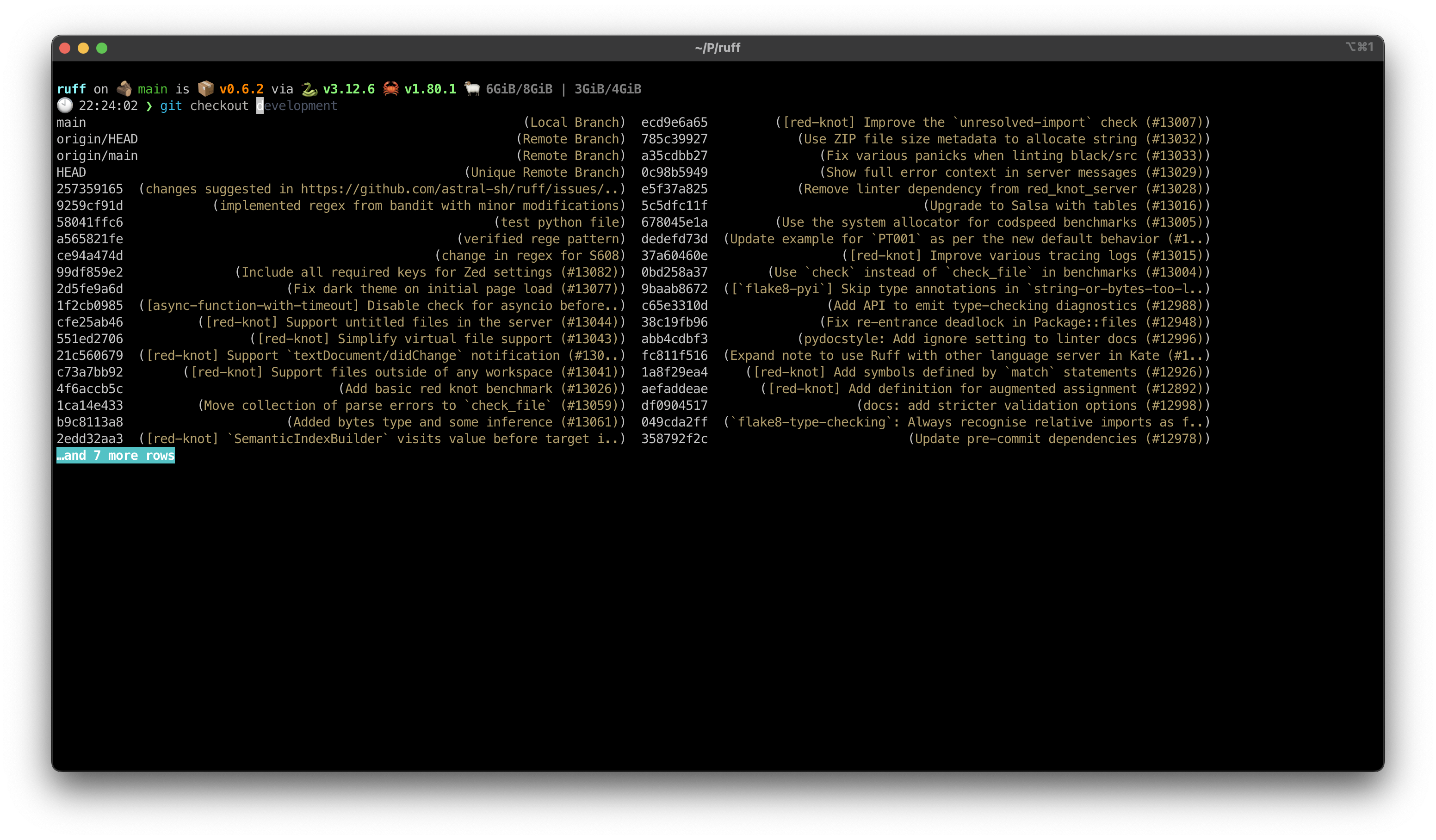
Feature two: Browser based configuration
I hate to do shell coding and needing to add more and more lines to my .zshrc file and bloating it up. With adding themes and configurations my .zshrc file bloated up so much, I had to reset twice overall.
Fish handles configuration in a very intuitive way. Type fish_config, and press  (Enter). Voila
  , a nice browser window pop's up which contains A to Z of your fish shell configuration.

Beyond the features!
The developers of Fish shell inspired me beyond their tool, through their design principles. A must read for every software developer, to understand the amount of thought process needed to develop a good piece of software.
Installation and my configuration
To install - brew install fish. Simple!
To make fish as the default shell, chsh -s /opt/homebrew/bin/fish and restart your terminal. That's all it take and you can use the fish_config to configure everything in a simple way.
I am using ayu Dark theme, which has some nice blue hues throughout.
Starship 
 

A rust based prompt for any shell, be it zsh, bash, xonsh anything. I stumbled on Startship at trending repositories of github, (yeah, I am bit of a nerd  ). Startships selling point to me are the pretty (customisable) icons and configuration, again.
Feature one: ease of configuraion
Starship is written in Rust and it works based on toml based configuration. I would have stopped exploring if it was shell configuration. Startship is not only for developers, but for everyone in my opinion.
I have attached my configuration here for reference. This makes my prompt look something like this,

Nice, init !
Feature two: Loaded configuration options
The beauty of starship lies in the versatile list of configurations provided to play around. I would encourage to play around before settling down. Are you a Python developer, you got it, NodeJS developer? you are also covered. Oh, you work only with AWS? we got you. All of my friends who work in different domain have found their own expertise configuration options here. Even the Perl developers, I know right  ?
?
Starship
To install - brew install startship, and get into the starship.
Configuration - Visit configuration page and go nuts.